There’s something about that feeling of stroking pen on paper, one that keyboards still struggle to replicate. But when it comes to convenience, notebooks just can't compete. Searchable notes, cloud sync, files you can share in seconds, it is just a different league.
The reMarkable Paper Pro is built for people who are not willing to give up either. The writing feel of a real notebook, with the convenience of a device that fits into a modern workflow. No apps, no notifications, no distractions. Just the best of both worlds.
So, whether you are hearing about reMarkable for the first time or you have been using a reMarkable 2 for the past few years and wondering if it is time to upgrade, this article covers everything you need to know.
Quick Tip: If you're sitting on a reMarkable 2, its resale value only drops as the Paper Pro takes over the market check what it's worth before you upgrade.
Table of Contents:
reMarkable Paper Pro: The Complete Review
What Is the reMarkable Paper Pro?
The Paper Pro is reMarkable's current flagship. It launched in late 2024 as the successor to the reMarkable 2, a device that appealed to writers, lawyers and people who swear by a notebook but need their notes to actually be searchable and shareable.
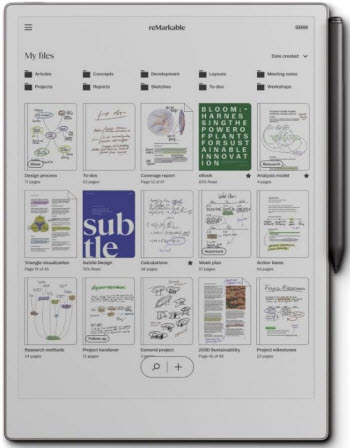
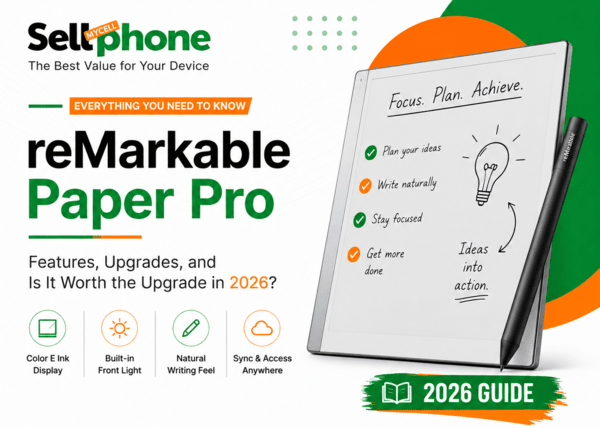
The Paper Pro takes everything that made its predecessor reMarkable 2 a great paper tablet and pushes it further. Bigger screen, color display, front light for reading at night, faster chip, more storage, better stylus. A genuine and thorough step up from the reMarkable 2.
It takes everything that made the reMarkable 2 great and pushes it further: a bigger screen, color display, a front light for reading at night, a faster chip, more storage, and a better stylus. A genuine, thorough step up from its predecessor.
Everything You Need to Know About the reMarkable Paper Pro:
Color, Finally
The biggest upgrade on the Paper Pro is the display, and yes, it finally has color. Before you picture iPad-level saturation, set expectations correctly: the Paper Pro uses an E Ink Gallery 3 display, which works completely differently from the color screen on your phone.
Instead of using a filter layered over a black-and-white panel (how competing devices like the Kindle Colorsoft work using Kaleido technology), Gallery 3 uses four actual colored ink particles sitting inside the screen itself: cyan, magenta, yellow, and black.
The result is better saturation, more natural tones, and a wider color range than other e-ink color devices.
Set expectations: Think of it less like a phone screen and more like reading a printed newspaper page in color. Not vibrant, but for annotating documents, color-coding notes, and reading formatted content, it's a genuinely useful upgrade over grayscale.
Screen, Front Light & Writing Feel
If you've ever felt slightly cramped writing on a reMarkable 2, the bigger screen and lower latency here fix that almost entirely.
This is one of the places where the reMarkable Paper Pro really shines.
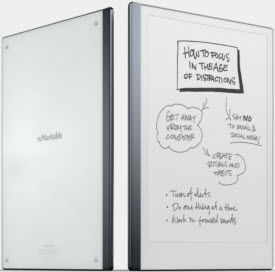
The screen surface has been engineered to reduce glare by 15% compared to previous models, and the texture gives you just enough friction that writing with the stylus genuinely feels like a pencil on paper.
Pen latency is 12ms, which in practical terms means what you write shows up on screen almost before you finish writing it. The faster processor compared to the reMarkable 2 makes the whole experience feel snappier and more immediate.
Marker Plus: Worth the Extra $50?
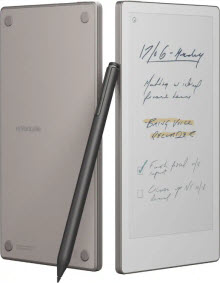
The standard Marker stylus comes included. But now there’s an upgraded Marker Plus which has a built-in eraser at the top. So you can flip it and erase exactly the way you would with a real pencil.
Bundle it in at checkout for an extra $50. Buying it separately afterward costs $129, so decide upfront. If you edit and correct as you go, it's worth it if you rarely erase, the standard Marker does the job fine.
Features & Software
The Paper Pro runs reMarkable's own operating system, deliberately minimal: no third-party apps, no notification badges, no temptation. Here's the toolset built around writing and reading:
💡 The mobile app's document scanning feature lets you photograph a physical document and send it straight to your Paper Pro to annotate surprisingly useful for paper mail and printed forms.
How Does the reMarkable Lineup Compare?
| Feature | Paper Pure | Paper Pro | Paper Pro Move |
|---|---|---|---|
| Display | 10.3" grayscale | 11.8" color (Gallery 3) | 7.3" color (Gallery 3) |
| Front Light | No | Yes | Yes |
| Storage | 32GB | 64GB | 64GB |
| Battery | Up to 3 weeks | Up to 2 weeks | Up to 2 weeks |
| Starting Price | ~$399 | ~$629 | $449 |
Who Should Buy the Paper Pro?
✅ Get It If You...
- Annotate PDFs or documents that use color
- Color-code notes as part of how you organize
- Read or work in low-light environments
- Want to replace a stack of physical notebooks
- Need file-level security for sensitive documents
🚫 Skip It If You...
- Mostly take plain black-and-white notes, happily
- Prefer a smaller, lighter device for portability
- Want a general-purpose tablet with apps & browser
- Aren't ready to pay a premium for a single-purpose device
Should You Upgrade From Your Old reMarkable?
If you’re still on the original reMarkable, upgrade. The gap between reMarkable and the Paper Pro is massive. The newer Paper Pro is much faster, has better software, a better writing experience, a much better display and more.
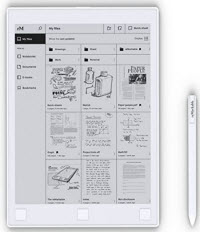
with the reMarkable 2 being replaced by the Paper Pure, the resale value on older models is only going to drop from here. If you are sitting on a reMarkable 2 and thinking about upgrading, now is the time to sell it while it still commands a decent price.
Conclusion
The reMarkable Paper Pro is one of the best paper tablets available right now. Color display, front light, an 11.8-inch screen, a faster chip, 64GB of storage, and a superb writing experience. It's not trying to be your phone or your laptop, and that's exactly why it works.
If you are upgrading or just want to sell your old reMarkable tablet for the most money with the least hassle then SellMyCellPhone is the best place to sell your used reMarkable tablet.
Even if you’re selling the discontinued reMarkable 2, the original reMarkable 1, or maybe you tried the reMarkable Paper Pro or Paper Pro Move and think it doesn’t suit, selling to SellMyCellPhone is straightforward and takes less than 5 minutes. Here’s how
How To Sell Your reMarkable tablet
-
Go to sellmycellphone.com/sell
-
Search for your device brand and then model
-
Select condition
-
Receive instant quote and click Get Paid
-
Proceed to checkout and complete instructions
Final Thoughts
The Paper Pro is a genuine, thorough step up for anyone who's outgrown their old notebook or their old reMarkable.
And if you're upgrading from a reMarkable 1 or 2, don't let it sit around losing value get an instant quote and sell your old device for top dollar on SellMyCellPhone.com.
Helpful Guides:
Learn more before selling:
Sell Your reMarkable Tablet
Any Model Accepted
Whether it's an original reMarkable, a discontinued reMarkable 2, or a Paper Pro that didn't suit you SellMyCellPhone.com gets you an instant quote, free shipping, and fast payout.