


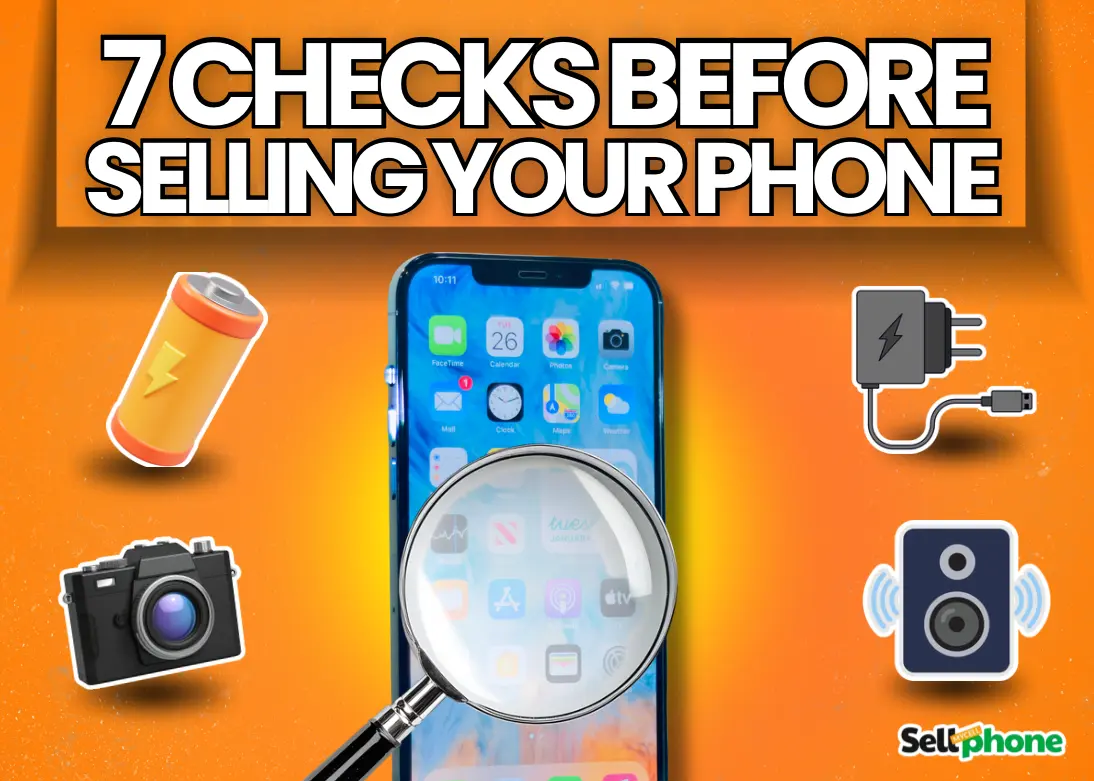
How to Check Your Phone’s Condition Before Selling
Over the years, I've sold all kinds of devices online—PCs, consoles, TVs, and everything in between. But smartphones are by far the most. And across all those sales, one problem kept coming up more than any other: device condition disputes.
Admittedly, on some occasions, I was in the wrong—I simply hadn’t checked properly. That’s exactly why in this guide, I’ll show you the exact step-by-step process I now use to check a phone’s condition before selling—so you can avoid costly mistakes and maximize your resale value.
📑 Table of Contents
🔍 1. Inspect the Screen for Cracks and Scratches:
In low light, many screen scratches and even thin cracks can go unnoticed. Always check your phone under bright lighting and inspect it closely for scratches and cracks that may have flown under your radar.
If there is a crack or scratch and you’re unsure if it’s your protector or the actual screen that’s broken, try running your finger through the screen. If you don't feel anything, it’s most likely the screen. To double-check, you can just take off the protector, but make sure to replace it to avoid unforeseen accidents.
Even small cracks can significantly reduce your phone’s resale value. In some cases, damage can lower the value by up to 50%, depending on severity.
2. Test the Touchscreen Responsiveness
Testing your phone’s touchscreen responsiveness goes beyond just making sure every part responds. For example, when I got a used Samsung Note 20 Ultra off a relative at a juicy price, at first the touchscreen responsiveness seemed normal; it was later on, while playing Call of Duty Mobile with 4 fingers, that I realized that its multitouch functionality had severely declined.
So when doing this test, also check that it can handle everything well. Here’s how to check:
-
Use this online touchscreen test to check normal touch responsiveness.
-
This one is for multitouch responsiveness. Note: Most phones support up to ten fingers at once.
-
In this test, you’re looking for dead zones (no response at all) or delayed response zones.
3. Check the Cameras
Testing your cameras is also something you don’t want to skip because camera problems are one of the quickest ways to lose a buyer’s trust.
Start by opening the camera app and testing both the rear and front cameras. Take a few photos in good lighting and record a short video as well. While doing this, pay attention to the image quality. If your photos come out blurry, struggle to focus, or look unusually dull, there might be an issue with the camera sensor or lens.
Next, inspect the camera lens itself. Look closely for scratches on the lens glass and check if there’s dust trapped inside the camera module. This can sometimes happen after drops or long-term use.
One trick I like to use is pointing the camera at text (like a book or a label) and zooming in slightly. If the camera struggles to focus on something that simple, then you know there’s likely a problem.
Also, check that the camera switches properly between lenses if your phone has multiple cameras. Some phones develop issues where certain lenses stop working entirely.
4. Examine the Charging Port and Buttons
Test Your Charging Port
To test your charging port, simply plug in your charger and check that it connects firmly and starts charging right away. A loose or wobbly connection can indicate issues like bent pins, debris buildup, or internal connector damage, often caused by years of daily use or plugging in at awkward angles. If your charger only works when held at a certain position, that is a red flag worth disclosing to any potential buyer.
Test Power Buttons
Next, test your power buttons; make sure they respond properly and are not about to fall off.
Repair Advice
In the case either or both your charging ports or buttons have issues, I’d advise you to fix them before selling. Their repair costs are usually not worth the damage they do to resale value.
5. Test the Speakers and Microphone
Testing your mic and speakers is pretty straightforward.
To test your speakers, simply go to a quiet place, get a loud song, and play it. This way, you test if your speakers still work and how clear they are. I’d advise you to get a sound you’re familiar with; this way, you’d be able to spot if your speaker is muffled more easily.
For phones with stereo speakers, you can use this online test to check the performance of both speakers.
You can easily test your mic by using the phone's voice recorder and playing it back to see if it sounds good. You can also use this tool if you want to get more detailed info from your test. WhatsApp voice notes don’t cut it here; they’re heavily compressed (yes, I tried it too).
6. Check Battery Health and Performance
Battery condition is one of the first things serious buyers ask about, especially for older devices.
Start by observing how quickly your battery drains during normal use. If your phone drops from 100% to 70% after just a short period of light use, that’s usually a sign that the battery health has declined.
Some phones also allow you to check battery health directly in the settings. For example, iPhones show a battery health percentage, while many Android devices provide battery diagnostics through hidden menus or third-party apps.
You should also pay attention to overheating. If the phone gets unusually hot while doing simple tasks like browsing or watching videos, it may indicate battery wear or internal issues. Another red flag is unexpected shutdowns. If your phone powers off even when it still shows some battery percentage left, the battery is likely nearing the end of its life.
Battery replacements are relatively common, but it’s still something you should mention clearly to potential buyers so there are no surprises later. Personally, I’d advise replacing it before selling since the resale value increase would cover the repair costs most times.
7. Inspect the Phone Body and Frame
Start by inspecting the phone’s frame and edges for dents, deep scratches, or bends. These are usually signs the phone has taken a hard fall at some point. Pay special attention to the corners of the device, because that’s where most impact damage occurs. Even if the phone works fine, visible dents can reduce the resale value.
Next, check around the camera bump. Many phones develop scratches here because the camera module often sticks out slightly from the body.
Finally, inspect the back of the phone carefully. If your phone has a glass back, check for cracks or hairline fractures that might not be obvious at first glance. A good trick is to tilt the phone under bright light while inspecting it. Small cracks and scratches usually become more visible this way.
Bonus Tip: Run a Quick Diagnostic Test
If you want to go a step further, you can run a quick diagnostic test to check your phone’s internal hardware.
Many smartphones actually have hidden diagnostic menus that allow you to test things like sensors, vibration motors, cameras, and touchscreen responsiveness.
For example, Samsung phones have a built-in hardware test menu that can be accessed by dialing #0# (#0# on some devices) or using the Samsung Members app.
Pro Tip: If your phone doesn’t have a built-in test menu, you can also use a trusted diagnostic app, Phone Doctor Plus (iOS and Android). Running one of these tests can help you catch issues that aren’t immediately obvious during normal use.
✅ Final Thoughts: Get the Best Value for Your Phone
Checking your phone for damage before selling may seem like a small step, but it can save you a lot of headaches later. A quick inspection helps you avoid disputes with buyers, price your device more accurately, and maintain your reputation if you regularly sell devices online.
If you discover any minor issues during your checks, make sure to either fix them or clearly disclose them in your listing. Transparency builds trust—and trust helps you sell faster.
💰 Ready to Sell Your Phone? | 🔥 Popular Devices You Can Sell Right Now:
If you've completed your checks and you're ready to sell, SellMyCellPhone makes the process simple, fast, and hassle-free—helping you get the maximum value for your device.